Search the Community
Showing results for tags 'dicing'.
Found 2 results
-
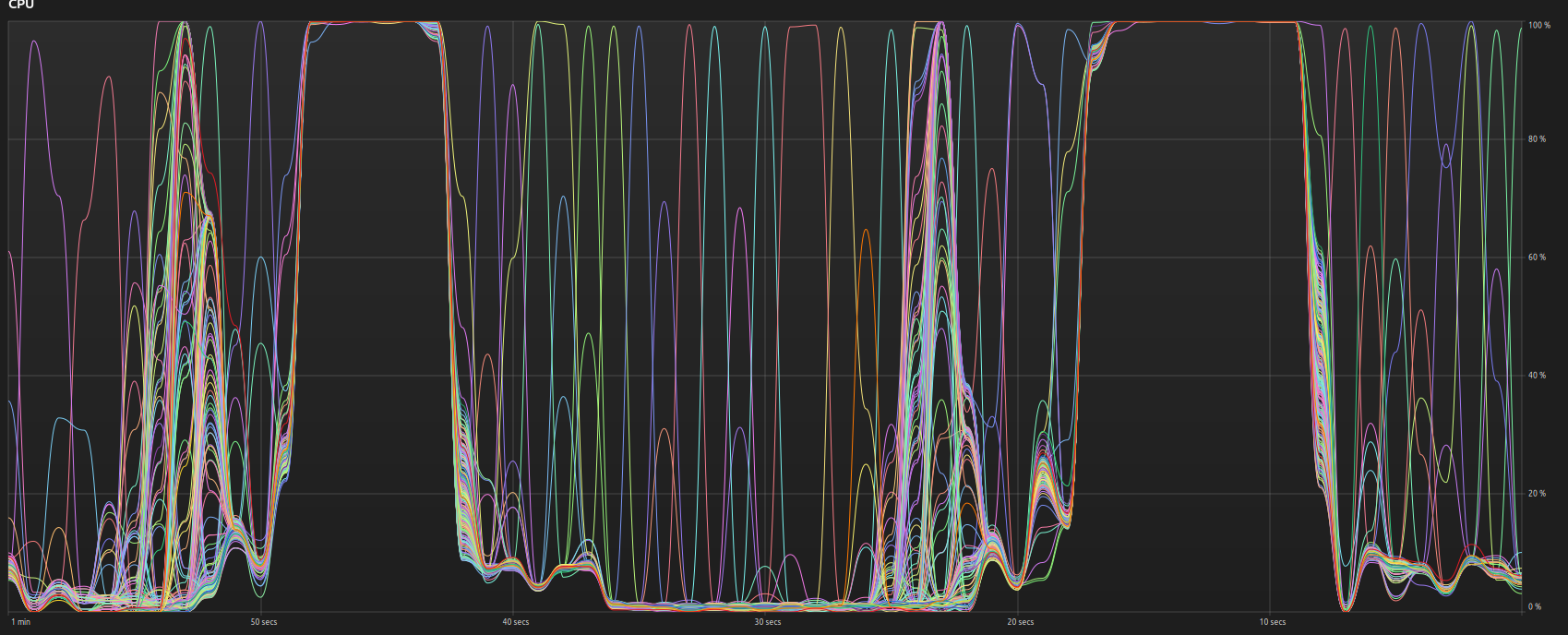
 Is the Karma dicing / render time displacement of the ocean single threaded? If you look at the CPU chart (showing 2 frames), the actual rendering happens in the 2 gaps where all threads are at 100% The spectrum bgeo is 36mb! and the mask 240 frame sequence is 230mb There are three visible stages (% time per frame): 1. 50% of the time -> One thread at a time 2. 10-20% of the time -> Right before they all reach 100% there is some dance there, not sure what that is 3. 30% of the time -> all threads at 100% Do you have any idea of what is being done in each of these stages? the last being render because once done the image appears in the render directory.
-
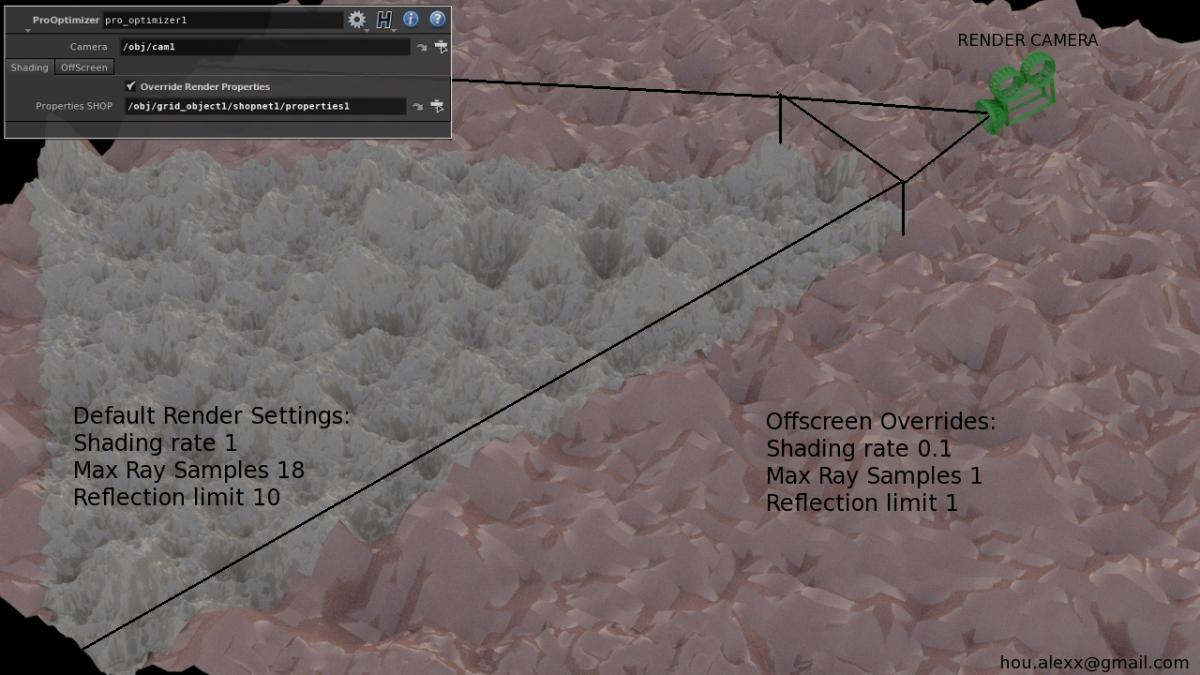
Hi, it's me again. Continuing to share goodies The purpose of this plugin is to reduce memory usage in shots with a lot of displacement, especially in "fly-through" shots. It allows to override rendering properties on primitives, outside of camera frustum.This plugin was written long time ago, before houdini 13 came out. Houdini 13 offer "Offscreen Quality" property out of the box, which is super useful. However, my tests shows, that overriding Shading Rate on primitives, saves about 20%+ more memory then using houdini's "Offscreen Quality", plus you can also override some other useful render properties such as Reflection Limit or Max Ray Samples. Anyway, someone can find it useful, even for learning purposes, isn't it? https://bitbucket.org/alexxbb/hdk_prooptimizer